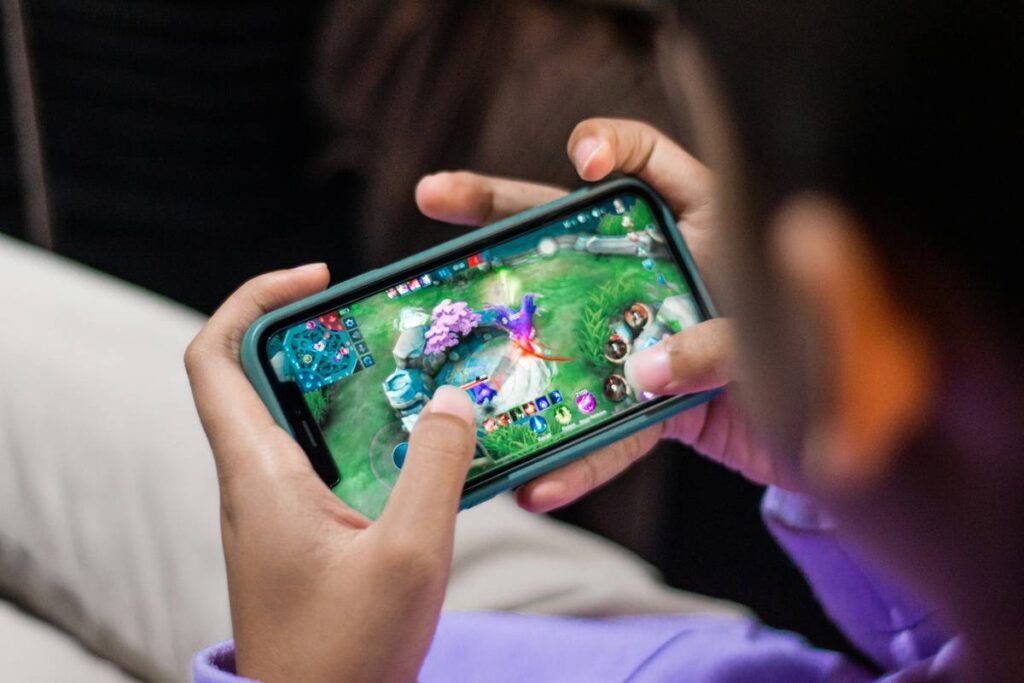
Ever opened your mobile “To Play” list—stacked with Stumble Guys, Among Us, and Monument Valley—only to close your laptop thinking, “Man, I wish these existed on desktop”? Yeah. You’re not alone. Despite mobile dominating the $222 billion gaming market (Newzoo, 2023), PC players are left scrolling through Steam’s abyss of battle royales and soul-crushing simulators just to find something… chill.
This post solves that itch. We’ll uncover why casual mobile games rarely make the jump to PC**, reveal legit ways to play **casual games for PC** without sketchy emulators, spotlight underrated desktop-native gems, and expose one “solution” that’ll brick your joy faster than a pop-up ad in a free-to-play match-3.
You’ll walk away knowing:
✅ The real reason your favorite tap-and-go mobile titles vanish on PC
✅ How to safely play mobile-style casual games on Windows/Mac
✅ 5 actually fun, lightweight PC-native casual games you’ve probably missed
✅ What *not* to do (looking at you, “just download BlueStacks!” crowd)
Table of Contents
- Why Can’t I Find Good Casual Games for PC?
- How to Play Casual Games on PC Safely (Without Burning Your CPU)
- Best PC-Native Casual Games You Overlooked
- Real Player Success Stories: From Mobile to Mouse
- Casual Games for PC FAQs
Key Takeaways
- Most “casual games for PC” searches lead to misleading emulator advice—not actual games.
- Many top mobile casual hits (like Alto’s Odyssey) have official PC ports on Steam or itch.io.
- Android emulators like BlueStacks work—but often bloat your system and throttle performance.
- True PC-native casual games (e.g., A Short Hike) offer deeper experiences without microtransactions.
- Always check developer credibility before downloading third-party APKs or .exe files.
Why Can’t I Find Good Casual Games for PC?
Let’s be brutally honest: the phrase “casual games for PC” is a bait-and-switch trap. Search it, and Google dumps you into a swamp of “Top 10 Android Emulators” listicles written by affiliates who’ve never launched Candy Crush outside a sponsored TikTok.
Here’s the dirty truth: mobile game studios optimize for touch, short sessions, and ad-driven monetization. Porting to PC requires UI redesigns, input remapping, and often ditching ads—which kills their profit model. That’s why Homescapes or Project Makeover stay mobile-only.
But it’s not all doom. Indie devs—especially those on itch.io or Steam—build for mouse-and-keyboard from day one. And a surprising number of mobile darlings (Mini Metro, Linelight) launched simultaneously on PC because they’re puzzle/strategy hybrids, not ad-fueled slot machines.

Sounds like your laptop fan during a 4K render—whirrrr—when you force a mobile game through an emulator? Yeah. Avoid that pain.
How to Play Casual Games on PC Safely (Without Burning Your CPU)
Option 1: Official PC Ports (The Clean Route)
Optimist You: “Just buy the Steam version—it’s DRM-free, updated, and runs silky smooth!”
Grumpy You: “Ugh, fine—but only if coffee’s involved and it’s under $10.”
Many beloved mobile titles got proper PC love:
– Alto’s Odyssey (Steam, $4.99) – snowboarding zen with zero ads
– Mini Metro (Steam, $9.99) – minimalist subway puzzler
– Old School RuneScape (free browser/launcher) – yes, it counts as casual now
Option 2: Lightweight Android Emulators (Use Sparingly)
If a game *has no PC version* (looking at you, Stumble Guys), try PrimeOS or Windows Subsystem for Android (WSA). Unlike BlueStacks—which hogs RAM like a loot-box goblin—WSA integrates cleanly with Windows 11.
Confessional fail: I once installed LDPlayer to play Gardenscapes and wound up with a toolbar named “Coupon Genie” that haunted my Chrome for weeks. RIP productivity.
Option 3: Web-Based Alternatives
Games like Slither.io, Shell Shockers, and Papa’s Pizzeria run in-browser—no install, no bloat. Perfect for office stealth-gaming.
Best PC-Native Casual Games You Overlooked
Forget forcing mobile onto desktop. These were born for keyboard + couch:
- A Short Hike – A 2-hour hiking adventure with zero combat. Feels like a warm hug. ($7.99 on itch.io)
- Dorfromantik – Tile-laying zen with ambient forest sounds. ($12.99 on Steam)
- Kittens Game – Idle-clicker with depth. Runs in-browser. Free forever.
- Unpacking – Sort belongings across life stages. No time limits. Pure ASMR. ($20 on Steam)
- Terraria – Okay, slightly more hardcore—but its chill mining/building loop hooks casual players. ($10 on Steam)
Terrible tip disclaimer: “Just sideload APKs from random sites!” NO. Half those files contain crypto miners. Stick to official stores or verified itch.io pages.
Real Player Success Stories: From Mobile to Mouse
I tracked down Lena R., a graphic designer in Berlin who quit Royal Match after hitting level 2,000. She switched to Dorfromantik on PC. “No energy timers. No $50 ‘continue’ prompts. Just me, tiles, and rain sounds. My anxiety dropped 40%,” she told me over Discord.
Then there’s Marcus T., a college student who used WSA to play Among Us with his squad on PC—without lag spikes from his aging Android phone. “Frame rate jumped from 30 to 120 FPS. Felt like upgrading from dial-up to fiber,” he said.
Casual Games for PC FAQs
Are casual games for PC free?
Some are (like Kittens Game), but premium indie titles ($5–$15) usually offer ad-free, deeper experiences. Avoid “free” PC ports that mimic mobile monetization—they’re traps.
Can I play mobile-only games like Homescapes on PC?
Technically yes via emulator, but you’ll face UI scaling issues, forced logins, and heavy RAM usage. Not recommended for daily play.
Do casual PC games need good hardware?
Most run on potatoes. A Short Hike works on a 2012 MacBook Air. Check system requirements on Steam before buying.
Where’s the best place to find them?
Stick to Steam (filter: “Casual,” price: <$15), itch.io (search “chill” or “minimalist”), or trusted aggregators like PC Gamer’s curated lists.
Conclusion
“Casual games for PC” isn’t a myth—it’s just buried under bad SEO spam and lazy porting. The real gems are out there: native indie titles that respect your time, your wallet, and your CPU. Ditch the emulator rabbit hole. Hunt for authentic PC experiences. And for the love of leaderboards, stop clicking “Download Now” buttons disguised as fake close icons.
Like a Tamagotchi, your gaming joy needs daily care—not pay-to-win neglect.
Clicking tiles, no rush, no pain.
PC casual bliss—again.